AWEBCs, Professional IT Web Consultancy Services
Custom CRM Development

CRM Development

Custom CRM Development Built Around Your Sales Process

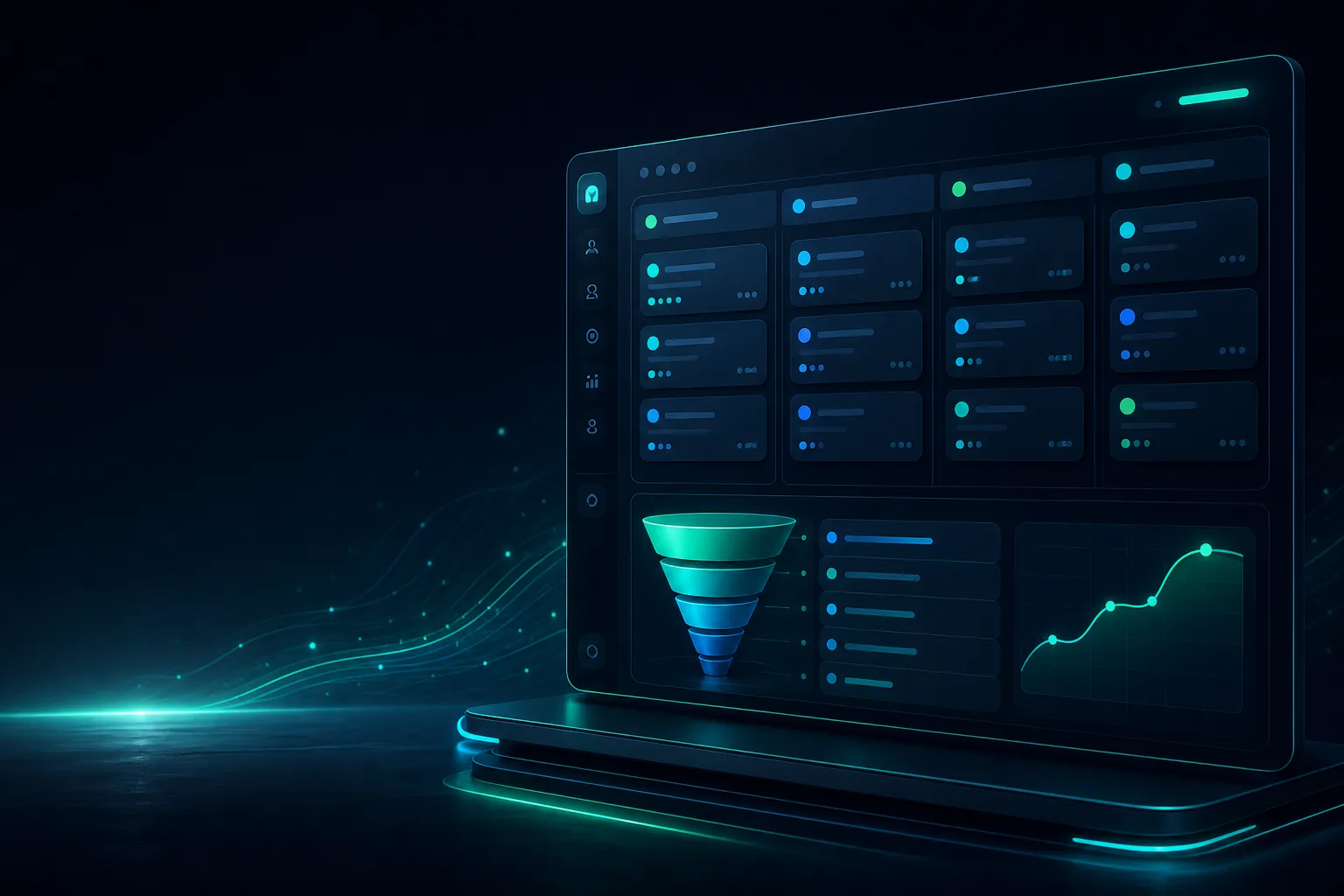
AWEBCs builds custom CRM software around the way your team already sells, so leads, deals and follow-ups live in one place. Tell us your sales steps and we will send a written quote.

Contacts and company records

Sales pipeline with stages

Follow-up tasks and reminders

Integration with WhatsApp and email

The problem you are facing

Problems we solve

?We're tracking deals in spreadsheets and losing track of follow-ups.

✓A custom CRM built around your sales process replaces scattered spreadsheets. It centralizes contacts, pipelines, and tasks so nothing falls through the cracks, and follow-ups are scheduled and visible to your team.

?Off-the-shelf CRM software forces us to change how we sell.

✓We design your CRM to match your existing sales stages and workflow. Instead of adapting your process to generic software, you get a system that reflects how your team actually sells, with fields and views that make sense to you.

?We can't get useful reports without manually compiling data.

✓Your custom CRM includes built-in reports tailored to your key metrics. Sales data is captured as your team works, so reports on pipeline health and task completion are generated automatically, giving you clarity without manual effort.

How it works

From enquiry to live site

  1. 1

    Understand your sales process and requirements

  2. 2

    Design the CRM structure and user interface

  3. 3

    Develop and configure the CRM

  4. 4

    Test, deploy, and provide support

Who it is for

  • Small and medium businesses seeking a CRM that matches their unique sales process
  • Sales teams struggling with spreadsheet-based tracking and follow-ups
  • Companies needing custom reports and pipeline visibility without off-the-shelf limitations

Ask before you buy

  • Can the CRM be tailored to our specific sales stages and fields?
  • How will data migration from our existing system be handled?
  • What kind of reporting and analytics will be included?
  • What support and maintenance options are available after launch?

Custom CRM Development: What a CRM Built Around Your Sales Process Actually Means

A custom CRM is software written for the way your team already sells, not a subscription product you must reshape your habits to fit. In practice that means the fields, stages and screens match your actual workflow: the way you qualify a lead, the documents you collect, the approvals you need. Instead of disabling features you never use, you get a system where every screen exists for a reason and every field is filled by someone. That is the practical difference between configuring a generic tool and commissioning custom crm development india for your business.

The work starts by mapping your sales process as it really runs, including the informal steps people keep in their heads. We interview the people who make calls, send quotes and close deals, then write the process down as a sequence of stages with clear entry and exit rules. Each stage becomes a pipeline column; each rule becomes a validation or an automation. This written map is the blueprint for the build, and it is also the checklist you use later to confirm the finished system behaves the way your team agreed.

Around that pipeline sit the three supporting pieces: contacts, tasks and reports. Contacts hold the people and companies you deal with, with the fields your team genuinely needs, such as decision-maker role, preferred contact method or account owner. Tasks turn follow-ups into dated items assigned to a person, so nothing depends on memory. Reports read from the same data, which means a pipeline total and a monthly summary cannot disagree. Keeping all four pieces in one system is what makes the CRM useful day to day rather than a record kept after the fact.

Custom does not mean rebuilding everything from nothing. A sensible build reuses proven foundations, such as a standard database, established security practices and familiar interface patterns, and spends effort on what is specific to you: your stages, your qualification rules, your reports. That balance keeps the system maintainable and keeps the scope honest. When you compare options, ask what is being customised and what is standard, because the answer tells you where the real effort and the real value sit in the project.

Expect the first version to be deliberately narrow. A CRM that handles contacts, pipelines, tasks and reports well is more valuable than one that attempts invoicing, inventory and payroll in the same release. Once the sales team uses the core daily, you can add adjacent features with evidence about what is actually needed. This staged approach reduces risk and gives you a working system sooner. It also means your team learns one coherent tool instead of a collection of half-finished modules competing for attention.

Finally, judge a custom CRM by whether it changes behaviour. If representatives update stages because the system makes it quick, if managers trust the pipeline view without asking for a separate spreadsheet, and if reports are read in meetings rather than assembled the night before, the build has done its job. Design decisions should be tested against that outcome: fewer places to look, fewer manual steps, and one shared version of the truth about every deal your team is working.

The Problem Custom CRM Development Solves: Spreadsheets, Lost Leads and Blind Pipelines

Most growing sales teams start with spreadsheets, and spreadsheets work until they do not. The trouble begins when two people edit the same file, when a row is overwritten, or when the person who maintained the sheet leaves. Suddenly nobody is certain which leads were contacted, which quotes went out, or what was promised. A custom CRM replaces that fragile arrangement with a structured database where each record has an owner, a history and a current status, so the answer to "where does this stand?" is a lookup rather than an investigation.

Lost leads are usually a process failure, not a motivation failure. A enquiry arrives by phone, gets written on paper, and is forgotten when the day gets busy. A custom CRM closes those gaps by making capture the first step and follow-up a scheduled task. When someone adds a lead, the system can require an owner and a next action date before saving. If a task falls overdue, it appears on a list. These small enforcements matter more than any dashboard, because they stop the quiet losses that never show up in a report.

A blind pipeline is the third problem. When stage information lives in individual heads or scattered notes, forecasts become guesses and managers cannot see where deals stall. A custom CRM gives every opportunity a stage with a defined meaning, so the pipeline view reflects reality. You can see how long deals sit in each stage, which representatives carry the most open value, and where drop-off happens. That visibility lets you coach on specifics instead of generalities, and it lets you ask better questions in review meetings.

Spreadsheets also hide the cost of manual work. Copying data between files, rebuilding the same summary each week and reconciling conflicting totals consumes hours that produce no sales. A custom CRM automates the routine parts: totals calculate themselves, reports refresh from live data, and reminders fire without anyone checking a calendar. The time saved is real but the bigger gain is consistency, because the same rules apply to every record regardless of who entered it or how busy the week was.

There is also a data quality problem that compounds over time. Free-text fields in spreadsheets allow the same company to appear under three spellings, and phone numbers in mixed formats cannot be dialled or deduplicated reliably. A custom CRM applies validation at entry: required fields, controlled picklists, format checks and duplicate warnings. Clean data at the source means reports you can trust and searches that find what you expect. Fixing messy data later is far more expensive than preventing it during capture.

Recognising these problems is the first step; deciding to fix them is the second. If your team spends more time assembling status updates than acting on them, if leads occasionally vanish, or if nobody can state the pipeline value with confidence, the current setup is costing you. A focused custom CRM addressing contacts, pipelines, tasks and reports is a proportionate response, and it can be scoped to start with the worst pain rather than attempting a total transformation at once.

Who Custom CRM Development Is For: Sales Teams in Uttarakhand and Beyond

This service suits teams whose selling process has outgrown a shared spreadsheet but who do not want to force their workflow into an off-the-shelf product. Typical clients are small and mid-sized businesses with a defined sales team, a repeatable offer and a growing volume of leads that someone must track. They value a system shaped around their stages, their approval steps and their reporting habits. If that description matches how you work, custom crm development is worth a serious look rather than another spreadsheet template.

Being based in Uttarakhand, India, we work with businesses across the region and elsewhere in India, and geography rarely limits the engagement. Discovery conversations happen over calls and screen sharing, requirements are written down and reviewed, and progress is demonstrated at agreed intervals. Local clients sometimes prefer in-person sessions for process mapping, which we accommodate where practical. The important point is that the method does not depend on proximity; clear documentation and regular checkpoints carry the project regardless of distance.

Manufacturing and trading businesses in and around Uttarakhand often have sales patterns a generic CRM handles poorly: long quote cycles, multiple decision-makers, rate revisions and repeat orders from the same accounts. A custom build can reflect those realities with fields for quotation history, approval chains and account-level notes. The same flexibility applies to service businesses with recurring contracts or to distributors managing territories. The common thread is a process specific enough that a generic tool leaves important steps unrecorded.

The fit is less good if you have no defined sales process yet. Building software around an undefined workflow simply automates confusion. In that situation we usually recommend spending time first on mapping how deals actually progress, then building. Similarly, if your needs are genuinely basic and a simple contact list would suffice, a configured off-the-shelf tool may serve you better, and we will say so. Honest scoping protects both sides and keeps custom development reserved for cases where it earns its place.

Teams also need a person who owns the system internally. That does not have to be a technical role; it is usually a sales manager who champions adoption, reviews data quality and decides on changes. Projects succeed when that owner is identified early and involved in discovery. Without an internal owner, even a well-built CRM drifts as staff leave and habits change. We ask about this during the first conversation because it shapes how we plan training, documentation and the handover at go-live.

If you are evaluating options, prepare a short description of your sales stages, the fields your team records today and the reports management asks for. That material makes an initial discussion far more productive and helps you compare proposals on substance rather than promises. Whether you are in Uttarakhand or another city, the questions are the same: what does your process require, what does the current setup cost you, and what would a purpose-built system change? Clear answers point to a sensible scope.

Core Features of Our Custom CRM: Contacts, Pipelines, Tasks and Reports

Contacts form the foundation. Each record holds the person, their company, role, contact details and the history of interactions your team has logged. We design the field set with you so it captures what matters without becoming a form nobody completes. Required fields are kept to the minimum needed for follow-up, with optional fields for context. Related records link together, so opening a company shows its people, open deals and recent activity in one place. Duplicate checking at entry keeps the database clean as it grows.

Pipelines represent your sales stages visually and structurally. Each stage has a clear definition and, where useful, rules about what must be true before a deal moves forward. Representatives drag deals between columns or update a status field, and the board refreshes. Managers see value by stage, age of each deal and the owner responsible. Because stages are defined once, everyone reports against the same structure. You can request additional pipelines later, for example to separate new business from renewals, without rebuilding the underlying data.

Tasks make follow-up concrete. Any contact or deal can carry a task with a due date, an assignee and a short note about the next step. Tasks appear in a personal list and in manager views, and overdue items stand out. This is the feature that most directly reduces lost leads, because a follow-up that is not scheduled tends to become a follow-up that is forgotten. We keep task entry fast, usually a few clicks from the record, so the habit sticks during busy periods.

Reports turn stored data into decisions. Standard views cover pipeline value by stage and owner, activity volume, conversion between stages and overdue tasks. Because reports read live from the same records, there is no separate reconciliation step. We agree the initial report set during discovery and build those first; additional reports can be added once the team is using the system and knows what it needs. Access can be limited by role so sensitive figures reach only the people who should see them.

Security and access control run through all four areas. Users sign in with individual accounts, and permissions determine what each role can view or edit. Activity history records who changed what and when, which helps when a figure is questioned. Backups and routine maintenance are planned from the start rather than added later. These foundations are not glamorous, but they are what let a sales team trust the system enough to abandon the parallel spreadsheet that usually lingers after go-live.

Together these features cover the daily loop of selling: capture the contact, move the deal through stages, complete the next task, and review the report. Keeping the scope to this loop in the first release makes the system quick to learn and quick to prove. Adjacent capabilities, such as email integration or quotation generation, can follow once the core is embedded. That sequence keeps the project focused and gives you working software early enough to shape what comes next.

How We Set Up Your Custom CRM: Discovery, Build and Go-Live

Discovery comes first and sets the direction. We hold structured conversations with your sales lead and representatives to document stages, fields, tasks and reports, and we ask what currently goes wrong. The output is a written requirements summary covering screens, rules and access roles, which you review and approve before any code is written. This step also produces a scope boundary: what the first release includes and what is deferred. Agreeing that boundary early is the most reliable way to manage custom crm development cost india projects, because it prevents quiet expansion later.

With the scope agreed, we plan the build in short increments and demonstrate progress regularly. You see working screens rather than descriptions, which surfaces misunderstandings while they are cheap to correct. Data migration from existing spreadsheets or another system is prepared during this phase: we map old columns to new fields, clean obvious errors and test a sample load. User roles and permissions are configured here too, so access is correct from the first login rather than patched afterwards.

Testing happens before go-live and involves your team, not only ours. We run through the real scenarios: adding a lead, moving a deal through every stage, completing and reassigning tasks, and checking each report against known figures. Representatives who will use the system daily are the best testers, because they notice friction that developers miss. Issues found are fixed and retested. We also check performance with a realistic volume of records so the system stays responsive as your data grows.

Go-live is staged rather than abrupt. We migrate the cleaned data, create user accounts, and run a short training session focused on the daily loop: contacts, pipelines, tasks and reports. A brief period of parallel running, where the old method is checked against the new, builds confidence before the spreadsheet is retired. During the first weeks we stay available for questions and quick fixes, because early usage always reveals small adjustments worth making. This support window is planned in the schedule, not treated as an afterthought.

After go-live, the system needs an owner and a rhythm. We hand over documentation covering the screens, the rules and routine administration, and we agree how change requests will be handled. Most teams benefit from a short review a few weeks in to look at what is being used and what is not. If you are budgeting, ask for a written scope and estimate so you can compare proposals on the same basis; published figures for custom crm development price india vary widely because scope varies, so like-for-like comparison matters more than the headline.

To begin, send us a short outline of your sales process, the fields you track today and the reports you rely on. We will respond with questions, a proposed discovery session and an indication of how the work would be structured. From there you receive a written scope and estimate before committing. The aim throughout is a system your team actually uses: contacts, pipelines, tasks and reports built around how you sell, delivered in stages you can see and approve.

How Custom CRM Development Is Priced: What Drives the Cost

Custom CRM pricing is rarely a single figure, because you are buying a process, not a product on a shelf. Most quotes combine discovery, design, build, testing and handover. Before comparing proposals, ask each vendor to separate these stages so you can see what you are paying for. A custom CRM for your sales process: contacts, pipelines, tasks and reports sounds simple, but each element hides decisions about fields, permissions and workflows that change effort. Request a written scope line by line, not a lump sum.

The number of user roles and permission levels is a major cost driver. A small sales team with one manager may need three roles; a business with field staff, inside sales and regional managers may need many more, each with different visibility. Every role adds configuration and testing time. List your roles in writing before you ask for quotes, and note which records each role can view, edit or export. This single document often explains large differences between proposals from any custom CRM development company India offers.

Integrations are the second big variable. A CRM that only stores contacts is cheap to build; one that syncs with your accounting tool, email, WhatsApp or ERP is not. For each integration, note what data moves, in which direction, how often, and what should happen when a sync fails. Ask whether the vendor has done that specific integration before. If the answer is vague, budget extra time for discovery. Fewer, well-defined integrations delivered first usually cost less than many shallow ones.

Reporting depth changes the price more than people expect. Simple counts and pipeline totals are straightforward; cohort reports, custom date logic or manager dashboards that combine several data sources take longer to specify and test. Decide which reports you will actually use in the first month and which can wait. A practical approach is to launch with the reports your sales meetings already rely on, then add others after users have lived with the system. This keeps the initial build focused and easier to verify.

Finally, expect cost to follow change. Ask how the vendor prices scope changes after work begins, and get that in writing. A fixed price with no change process often leads to disputes; an open hourly rate with no estimate leads to surprises. The healthiest arrangement is a staged estimate with a clear approval step for anything new. When comparing custom CRM development for business India options, weigh the change process as carefully as the headline price, because that is where budgets quietly grow.

Support After Launch: Keeping Your Custom CRM Running

Launch day is the start of the system's real life, not the end of the project. Ask for a written support plan before you sign off. It should state who you contact, how, during which hours, and what response you can expect for different severity levels. A broken login for the whole team is not the same as a cosmetic label fix, and the plan should treat them differently. Without this, small issues can sit unresolved while everyone assumes someone else is handling them.

Keep a simple register of what was built and why. Your vendor should hand over documentation covering the data model, user roles, integrations and any scheduled jobs. Ask for a short walkthrough recorded on video so new staff can be trained without calling support each time. If a key person leaves your team, that documentation is what protects you. Review it once a quarter and update it when you add fields, roles or reports. Treat it as a living asset, not a folder filed away after handover.

Monitor the basics yourself rather than waiting for complaints. Check weekly that logins work, that pipeline stages move correctly, and that any integration has run as expected. Note when reports look wrong or when users start keeping parallel spreadsheets, because that usually signals a gap in the CRM. Bring a short list of issues to your support contact in one message rather than many scattered ones. Clear, specific reports get faster fixes and help the vendor prioritise what matters to your team.

Plan for routine maintenance, not just emergencies. Software dependencies, browser updates and integration changes on the other side can break things quietly. Ask whether your support agreement includes periodic checks and updates, and how those are scheduled so they do not interrupt working hours. If your vendor is a custom crm development company india based team, confirm how time zones and holidays affect response. Put maintenance windows in the calendar and tell users in advance so nobody is surprised by a brief outage.

Know when to ask for help beyond the contract. If data looks corrupted, if an integration keeps failing after a fix, or if users report the same error repeatedly, escalate formally rather than through casual messages. Keep a written record of what you reported and when. Also ask your vendor how they handle a serious incident, including who decides to roll back a change. A calm, documented escalation path is worth more than a promise that nothing will ever go wrong.

Security in Custom CRM Development: Access Control and Data Protection

Your CRM holds contact details, deal values and internal notes, so access control deserves attention from the first design conversation. Start with a role matrix: list every role and mark which records they can view, create, edit, delete and export. Be explicit about managers seeing their team's data and about whether field staff can see each other's pipelines. Once the matrix exists, ask the vendor to walk you through how the system enforces it, not just how it displays it. Screens can hide a button while the underlying data remains reachable.

Authentication is the next layer. Ask whether the system supports individual logins only, with no shared accounts, and whether stronger options such as two-factor authentication are available. Shared logins destroy accountability because the audit trail can no longer tell you who changed a deal. Confirm how password resets work and who can trigger them. Also ask how sessions expire on shared office machines. These are small settings with large consequences, and they are far easier to agree during the build than to retrofit afterwards.

Data protection covers storage, backups and deletion. Ask where the data physically sits, who can access the servers, and how backups are taken and tested. An untested backup is merely a hope, not real protection. Confirm how long deleted records are retained and whether they can be recovered. If you handle personal data, discuss retention periods and export options so you can respond to requests from individuals. Put these answers in writing as part of your agreement with any best crm software india provider you shortlist.

Audit logging matters more than most buyers realise. You should be able to see who changed a record, when, and what the previous value was, at least for key fields such as deal stage, owner and value. This helps resolve disputes and spot unusual activity. Ask how long logs are kept and who can read them. Also check that logs cannot be edited by ordinary users. If the vendor says logging is available but not included, treat it as a decision to make now rather than an optional extra later.

Finally, cover people and process, not only technology. Agree who on your side approves new user accounts and who removes access when someone leaves. Departing staff are the most common source of lingering access. Ask the vendor how they handle access to your production environment and whether they use your data during testing. A short written policy covering onboarding, offboarding and vendor access closes gaps that no amount of software configuration can fix on its own.

Limits of Custom CRM Development: What a Custom Build Will Not Fix

A custom CRM will not repair a broken sales process. If your team disagrees about what counts as a qualified lead, or if deals stall because nobody follows up, software will simply record the confusion more efficiently. Before commissioning a build, map your current process on paper, including the messy parts. Agree on stages, definitions and ownership. The build should encode decisions you have already made, not make them for you. Vendors can facilitate that discussion, but the decisions must come from your side.

It will not make people use it. Adoption depends on relevance, training and leadership example, not on features. If managers keep asking for updates in chat instead of the CRM, the system will quietly become a graveyard of stale records. Plan how the tool fits into daily routines: which meeting reviews the pipeline, who checks overdue tasks, and what happens when records are incomplete. A modest build that people actually use beats an elaborate one they avoid. Budget time for training and follow-up, not just development.

Custom software will not eliminate the need for data discipline. Duplicate contacts, half-filled fields and inconsistent naming will follow you into any system. Decide which fields are mandatory, who owns data quality, and how often records are reviewed. Consider a simple monthly cleanup routine. Also accept that some integrations will remain imperfect, especially with third-party tools you do not control. A custom build can smooth the edges, but it cannot guarantee that an external service will behave exactly as you wish.

It will not replace strategy or reporting judgement. A dashboard shows what you ask it to show; it does not tell you which market to enter or which product to push. If your reporting needs are still shifting, a lighter first version with room to grow is wiser than a large build based on guesses. Be honest about what you know and what you are still learning. Even the best crm software india market offerings cannot substitute for clear commercial thinking, and neither can a bespoke system.

Finally, custom development will not remove ongoing cost or dependency. You will still need hosting, maintenance, updates and someone who understands the system. If you expect a one-time payment and no further involvement, a custom build will disappoint you. Ask yourself whether you can commit to a long-term relationship with a vendor and to internal ownership of the tool. If not, a simpler configured product may serve you better. Knowing these limits early protects both your budget and your patience.

Custom CRM vs Off-the-Shelf CRM Software: An Honest Comparison

The honest starting point is that off-the-shelf CRM software is often the right answer. It is available quickly, has been tested by many users, and comes with documentation and a support ecosystem. If your sales process is broadly standard, with contacts, deals and tasks, a configured product may cover most of what you need at lower initial cost. Custom development earns its place when your process genuinely differs, when existing tools force awkward workarounds, or when integration and data ownership requirements cannot be met by a packaged product.

Compare on fit, not on features alone. List the five or six things your team does every day and check how each option handles them. For off-the-shelf tools, ask how much customisation is possible without breaking future updates. For a custom build, ask how long the first usable version will take and what is deliberately left out. A custom CRM for your sales process: contacts, pipelines, tasks and reports can be shaped precisely, but only if you can describe that shape clearly. Vague requirements favour packaged products.

Consider total cost over several years, not the first invoice. Off-the-shelf tools usually involve per-user subscriptions that grow with your team, plus possible charges for advanced features or integrations. Custom builds front-load cost into development, then require hosting and maintenance. Neither is automatically cheaper. Model both over a realistic period using your actual headcount and expected growth. Ask vendors to state assumptions clearly so you can compare like with like, and revisit the comparison if your team size changes significantly.

Think about ownership and exit. With a custom system, you should clarify who owns the code and data, and how you would move if the relationship ended. With a packaged product, check how easily you can export your data and what happens to customisations if you switch plans. Lock-in exists in both directions. Ask for a data export sample before you commit. A vendor that hesitates to show you how to leave is telling you something useful about how they will behave while you stay.

Finally, be realistic about your organisation. Custom development demands more involvement from your team during discovery, testing and training. If nobody can spare that time, a packaged tool with sensible defaults will likely serve you better. If you have a distinctive process, clear requirements and a willingness to participate, a custom build can fit like a glove. Many businesses sensibly start with a packaged product and move to custom work only when its limits become concrete and costly.

Common Mistakes Buyers Make When Commissioning a Custom CRM

One frequent mistake is treating a custom CRM as an off-the-shelf product with a fixed feature list. Buyers often start with a long wish list instead of mapping their actual sales process. Before commissioning, document how leads enter, who qualifies them, and what stages a deal moves through. Without this clarity, developers build features you may never use, and the system becomes bloated. Ask yourself: does this feature support a step we actually take? If not, cut it. A focused scope reduces cost and speeds delivery.

Another error is ignoring user adoption during design. If salespeople find the interface slow or confusing, they will revert to spreadsheets. Involve a few end users in requirements workshops and prototype reviews. Check that common tasks—logging a call, updating a stage, setting a reminder—take only a few clicks. Test on the devices your team actually uses. When users feel ownership, adoption rises. If you sense resistance early, pause and address it rather than pushing ahead with development.

Buyers often underestimate data migration and integration effort. Moving contacts and deals from spreadsheets or an old tool requires cleaning duplicates, standardizing fields, and deciding what history to keep. Integrations with email, calendars, or accounting need clear API contracts. Ask your vendor how they will handle messy data and what happens if a source system changes. Skipping this step leads to a CRM that looks fine but holds unreliable records, undermining reports and trust in the system.

Scope creep is a classic pitfall. Requests for “just one more field” or a new report can accumulate and delay launch. Agree on a change control process: any addition beyond the signed scope gets estimated, prioritized, and scheduled separately. Review the backlog regularly and defer non-critical items to a later phase. This discipline keeps the project on track and ensures the core sales process works before you expand. If you constantly add features, ask whether you are solving a real problem or avoiding the harder work of process change.

Finally, many buyers skip planning for support and iteration after launch. A CRM is not finished on go-live day; it needs monitoring, bug fixes, and enhancements as your sales process evolves. Clarify who will handle support, how issues are reported, and what response times to expect. Budget for ongoing maintenance and training. If you are comparing crm software india options, ask vendors about post-launch support explicitly. Without a support plan, small issues can snowball and erode the value of your investment.

How to Choose a Custom CRM Development Partner

Start by defining your requirements in writing, including must-have features, integrations, and user roles. Then evaluate partners on their ability to understand your sales process, not just their technical stack. Ask for a walkthrough of how they would approach discovery, prototyping, and testing. A good partner will push back on unclear requirements and suggest simplifications. Check whether they have experience with similar workflows, but avoid assuming that domain experience alone guarantees success. The fit between their process and your team matters more.

Technical competence is necessary but not sufficient. Look for a partner who explains trade-offs in plain language: why one database choice affects reporting speed, or how an API design impacts future integrations. Ask how they handle security, backups, and access control. Review their code quality practices, such as version control and automated testing. If they cannot describe these clearly, proceed with caution. Remember that a crm system india project must comply with local data protection expectations, so ask about data residency and privacy.

Communication and project management are critical. Ask how often you will receive updates, who your main contact is, and how changes are handled. A partner who disappears for weeks and returns with a finished module is risky; you want visibility into progress. Request a sample project plan with milestones and deliverables. Check whether they use tools you can access, like a shared board or repository. Clear communication reduces misunderstandings and keeps the project aligned with your business goals.

Evaluate their approach to testing and quality assurance. A custom CRM must handle real-world scenarios: duplicate contacts, incomplete records, simultaneous edits, and slow networks. Ask how they will test these cases and whether you will have a chance to run user acceptance testing. Inquire about performance benchmarks and how they will measure success. A partner who treats testing as an afterthought will deliver a fragile system. Insist on a testing plan that includes both automated checks and manual user trials.

Finally, discuss long-term support and knowledge transfer. You need documentation, training, and access to the codebase. Ask what happens if the partnership ends: will you own the intellectual property and have the ability to maintain the system? Clarify support terms, including response times and escalation paths. If you are planning for crm software india 2026, consider whether the partner can adapt to changing needs. A good partner equips you to be self-sufficient, not dependent on them forever.

FAQs Buyers Ask About Custom CRM Development

How long does a custom CRM take to build? Timelines vary with scope, integrations, and feedback speed. A focused system for contacts, pipelines, tasks, and reports might take a few months, while complex integrations add time. The key is to phase delivery: launch a core version early, then iterate. Ask for a milestone-based plan so you can see progress. Remember that your availability for reviews and testing directly affects the schedule. Delays often come from slow decision-making, not just development.

What does it cost? Costs depend on features, integrations, and the partner's rates. Rather than seeking a fixed price upfront, ask for a range based on a defined scope. Be wary of unusually low bids that skip discovery or testing. A custom CRM is an investment in your sales process, so compare proposals on value, not just price. Request a breakdown of effort by phase. If budget is tight, prioritize the core workflow and defer nice-to-have features to a later phase.

Can you integrate with our existing tools? Most custom CRMs can integrate with email, calendars, accounting, and marketing platforms via APIs. The effort depends on the other system's API quality and your data volume. Ask for a specific integration plan: what data flows, how often, and how errors are handled. Test a small integration early to uncover issues. If a tool lacks an API, alternatives like file-based imports may be needed. Clarify who bears the cost of third-party API changes.

How do you handle data migration? Migration involves extracting data from old systems, cleaning it, mapping fields, and importing it. We start with a sample to validate the process, then run a full migration during a quiet period. You will need to decide what history to keep and how to handle duplicates. Plan for a period of parallel running if needed. After migration, verify record counts and spot-check key accounts. Poor migration can undermine confidence, so allocate time for validation.

What about security and compliance? Security is built into the design: role-based access, encryption, audit logs, and regular backups. We follow secure coding practices and can discuss data residency options. For a crm software india deployment, compliance with local regulations is important. Ask about penetration testing and how vulnerabilities are handled. You should also define internal policies for password management and access reviews. Security is a shared responsibility, so clarify what the vendor covers and what your team must do.

What Is Included in Our Custom CRM Development Package

Our package begins with a discovery phase where we map your sales process, identify user roles, and define success criteria. We conduct workshops with your team to capture how leads are handled, deals progress, and tasks are managed. The output is a requirements document and a prioritized feature list. This phase ensures we build only what you need. We also review your existing data sources and integration points. You will receive a project plan with milestones, so you know what to expect at each stage.

We design and develop the core CRM modules: contacts, pipelines, tasks, and reports. Contacts include custom fields and duplicate detection. Pipelines are configurable to match your sales stages, with drag-and-drop or list views. Tasks and reminders help users stay on top of follow-ups. Reports provide insights into pipeline value, conversion rates, and activity levels. We build with a responsive interface so the CRM works on desktop and mobile. Throughout development, we share progress and incorporate your feedback.

Integration and data migration are included. We connect your CRM to email and calendar systems for seamless communication tracking. If you use accounting or marketing tools, we integrate via APIs where available. For migration, we extract data from your existing sources, clean and deduplicate it, and import it into the new system. We run a test migration first to validate the process. After go-live, we verify data integrity and provide a migration report. This ensures your team starts with reliable data.

Testing and quality assurance are integral. We perform unit testing, integration testing, and user acceptance testing with your team. We test common scenarios like creating a contact, moving a deal through stages, and generating reports. We also check performance under load and security controls. You will receive a test plan and results. Before launch, we conduct a final review to ensure all requirements are met. Any defects found are fixed and retested. Our goal is a stable system that users trust.

Training and documentation are part of the package. We provide user guides, admin documentation, and training sessions for your team. Training covers daily tasks, reporting, and basic administration. We also include a support period after launch to address issues and answer questions. You will have access to the codebase and documentation for future maintenance. Our aim is to make you self-sufficient. We also offer optional ongoing support plans if you prefer us to handle maintenance.

What Is Not Included in Custom CRM Development

Third-party software licenses and subscription fees are not included. This covers services like email hosting, calendar APIs, or accounting software that the CRM integrates with. You are responsible for procuring and paying for these services. We can advise on options and help with integration, but the contracts and costs remain with you. Similarly, any hardware or infrastructure costs, such as servers or cloud hosting, are separate. We will specify what you need to provide before development begins.

Content creation and data entry are not included. While we migrate existing data, we do not create new content such as marketing copy, product descriptions, or sales scripts. If your existing data is incomplete or unstructured, you may need to clean or enrich it before migration. We can provide templates and guidelines, but the effort to populate accurate data rests with your team. This ensures the CRM reflects your business accurately and that you own the quality of your data.

Ongoing maintenance and support beyond the included period are not part of the base package. After the initial support period, you can choose a support plan or handle maintenance internally. Maintenance includes bug fixes, security updates, and minor enhancements. We provide documentation to enable self-support, but if you lack technical resources, we recommend a support agreement. Clarify what is covered in the base package and what requires an additional contract to avoid surprises.

Customizations outside the agreed scope are not included. Any new features or changes requested after the requirements are signed off will be estimated separately. We use a change control process to manage this: you submit a request, we assess impact, and you decide whether to proceed. This prevents scope creep and keeps the project on budget. If you anticipate evolving needs, we can plan for a phased approach, but each phase is scoped and priced separately.

Legal and compliance consulting are not included. While we build security features and can discuss data protection, we are not lawyers. You should consult legal experts for compliance with regulations specific to your industry or region. This includes data privacy laws, retention policies, and industry-specific rules. We can implement technical controls you specify, but the responsibility for legal compliance remains with you. If you are unsure, seek professional advice before finalizing requirements.

Timelines for Custom CRM Development: What to Expect and When

When planning a custom CRM, understanding the timeline helps you allocate resources and set expectations. A typical project starts with discovery, where we map your sales process, define contacts, pipelines, tasks, and reports, and agree on priorities. This phase usually takes one to two weeks, depending on how clearly your current workflow is documented. You should be ready to provide examples of your sales stages and the data you track. Asking for help early if your process is informal can save time later, as we can guide you in structuring it effectively.

After discovery, we move to design and prototyping, where we outline the user interface and database structure. This stage often takes two to three weeks, as we iterate based on your feedback. You will review wireframes and confirm that the CRM aligns with how your team works. It's important to involve key users during this phase to catch gaps early. If you're unsure about specific features, now is the time to ask for clarification. Remember that changes during design are easier and less costly than after development begins.

Development is the longest phase, typically spanning four to eight weeks for a custom CRM with core features. We build the contact management, pipeline tracking, task assignment, and reporting modules. You will receive regular updates and can test incremental builds. A common pitfall is scope creep, so we recommend freezing features before development starts. If you need to add something mid-way, discuss the impact on timeline with us. For businesses seeking a crm in india, this phase is where local requirements like language or compliance can be addressed.

Testing and quality assurance follow development, taking about one to two weeks. We conduct functional testing, user acceptance testing (UAT), and fix any issues. You should allocate time for your team to test real scenarios. Prepare a checklist of critical tasks and reports to verify. If bugs are found, we prioritize and resolve them promptly. This phase ensures the CRM works as intended before go-live. Delays here often come from unclear requirements, so thorough discovery pays off.

Finally, deployment and initial support take a week or two. We deploy the CRM to your environment, conduct a final review, and provide initial training. The total timeline for a custom CRM typically ranges from two to four months, but it varies with complexity and your availability for feedback. We recommend building in buffer time for unforeseen issues. After launch, we offer support to address any immediate concerns. Clear communication and timely decisions from your side are key to staying on schedule.

Migrating Your Existing Contacts and Data into the New CRM

Migrating data is a critical step that ensures your new CRM is immediately useful. Start by identifying all data sources: spreadsheets, old CRM systems, email contacts, and paper records. Create an inventory of the fields you need, such as name, company, phone, email, and notes. We help you map these to the new CRM's structure. Before migration, clean your data by removing duplicates and correcting errors. This upfront work reduces issues later. If you're unsure about data quality, ask for help—we can assist with deduplication and validation.

Once data is inventoried, we define a migration plan. This includes the order of migration (e.g., contacts first, then deals), the format for import (CSV, API), and the schedule. We recommend a test migration with a small subset to verify accuracy. Check that all fields map correctly and that relationships (like contact-to-company) are preserved. During this phase, document any transformations, such as standardizing country codes. For businesses operating as a crm in india, consider local formats for phone numbers and addresses to avoid rework.

The actual migration involves exporting data from source systems, transforming it as needed, and importing into the new CRM. We use scripts or tools to automate this, minimizing manual effort. You should review the imported data for completeness and accuracy. Run reports to compare counts and spot anomalies. If you find missing records or incorrect values, we can adjust the process. It's wise to perform migration during off-peak hours to avoid disrupting your team. Always keep a backup of the original data until the new system is verified.

After migration, validate the data by running key reports and checking sample records. Ensure that pipelines and tasks are correctly linked to contacts. Train a small group of users to test the system with real data before full rollout. Gather feedback on any gaps or confusing fields. If issues arise, we can correct them before the final cutover. This validation step is often overlooked but is essential for user adoption. Ask for help if you're unsure how to verify data integrity—we can provide checklists and support.

Finally, plan for ongoing data hygiene. Set rules for duplicate prevention, required fields, and regular audits. Document the migration process for future reference. After go-live, monitor data quality and address issues promptly. If you have legacy systems that remain in use, establish a sync or retirement plan. Remember that data migration is not a one-time event; it's part of maintaining a healthy CRM. We offer post-migration support to help you stabilize and optimize your data management practices.

Training Your Team to Use the Custom CRM

Training is essential for user adoption and ROI. Start by identifying different user roles—sales reps, managers, admins—and tailor training to their needs. We provide role-based sessions covering daily tasks: adding contacts, updating pipelines, managing tasks, and generating reports. Schedule training close to go-live so skills are fresh. Use real scenarios from your business to make it relevant. Encourage questions and hands-on practice. If your team is new to CRM concepts, we can include basic tutorials. Ask for help if you need additional sessions or materials.

Create a training plan that includes live workshops, recorded videos, and written guides. We supply user manuals and quick reference sheets. During workshops, demonstrate key workflows and have users perform them in a sandbox environment. This hands-on approach builds confidence. Assign a CRM champion within your team to provide peer support. After training, collect feedback to identify areas needing reinforcement. Consider follow-up sessions a few weeks post-launch to address challenges. For teams across India, we can accommodate remote training to ensure everyone participates.

Reinforce training with ongoing support. Establish a helpdesk or internal channel for questions. We offer post-training support to answer queries and provide refreshers. Monitor usage metrics to spot struggling users and offer targeted coaching. Recognize and reward early adopters to encourage adoption. Incorporate CRM usage into performance reviews to emphasize its importance. If you notice resistance, address concerns openly—sometimes it's about usability or fear of surveillance. We can help you communicate the benefits and adjust features to ease concerns.

Documentation is a valuable training asset. We provide a knowledge base with how-to articles and FAQs. Encourage users to contribute tips and best practices. Keep documentation updated as the CRM evolves. During training, highlight where to find help within the system. For new hires, include CRM training in onboarding. Periodically review training materials to ensure they reflect current processes. If you need help creating internal documentation, we can assist with templates and content.

Measure training effectiveness through surveys, usage stats, and feedback. Adjust future training based on insights. Celebrate successes, such as improved data accuracy or faster reporting. Remember that training is an ongoing process, not a one-time event. As you add features or change processes, provide refresher training. We offer annual training reviews to keep your team proficient. By investing in training, you maximize the value of your custom CRM and empower your team to work efficiently.

Maintenance and Iteration: Evolving Your CRM After Launch

After launch, your CRM needs regular maintenance to stay reliable and secure. This includes software updates, bug fixes, and performance monitoring. We offer maintenance plans that cover these tasks, ensuring your system runs smoothly. You should also perform periodic data backups and test restoration procedures. Monitor user feedback for signs of issues. If you notice slowdowns or errors, report them promptly. For businesses in India, consider local data protection regulations when planning maintenance. Ask for help if you're unsure about compliance requirements—we can guide you.

Iteration is about improving the CRM based on user needs and business changes. Schedule regular reviews—quarterly or biannually—to gather feedback and prioritize enhancements. Use analytics to identify underused features or bottlenecks. Maybe your sales process has evolved, requiring new pipeline stages or reports. We help you assess these needs and implement changes in manageable increments. Avoid large, disruptive overhauls; instead, adopt a continuous improvement mindset. Document each change and communicate it to users to maintain transparency.

When planning iterations, consider the impact on users and data. Test changes in a staging environment before deploying to production. Train users on new features and update documentation. If an enhancement requires data migration or restructuring, plan carefully to avoid downtime. We can assist with impact analysis and rollback plans. Prioritize changes that deliver the highest value. Sometimes, small tweaks like adding a custom field or automating a task can yield significant efficiency gains. Involve end-users in prioritization to ensure buy-in.

Maintenance also includes security updates and user management. Regularly review access permissions and deactivate accounts for departed employees. Ensure that sensitive data is protected with role-based access and encryption. Conduct periodic security audits. Keep the CRM integrated with other tools as your tech stack evolves. If you add new software, check for integration opportunities. We can help you build APIs or connectors. Staying proactive with maintenance reduces the risk of costly downtime and data breaches.

Finally, treat your CRM as a living system. Set aside budget and time for ongoing improvements. Track key metrics to measure the impact of iterations. Share success stories with your team to maintain enthusiasm. If you ever feel stuck or need strategic advice, reach out—we're here to help you evolve your CRM to meet changing demands. By committing to maintenance and iteration, you ensure your custom CRM continues to deliver value for years to come.

Next Steps: Start Your Custom CRM Development with AWEBCs

Ready to build a CRM that fits your sales process? The first step is to contact AWEBCs for a consultation. We'll discuss your needs, current challenges, and goals. This conversation helps us understand your workflow and recommend a tailored approach. There's no obligation—just a friendly chat to explore possibilities. We serve businesses across India, including those seeking a crm in india. After the call, we'll outline a project plan with estimated timelines and costs. You can ask questions and clarify any doubts before committing.

If you decide to proceed, we'll schedule a discovery workshop. This in-depth session involves your key stakeholders and our team. We'll map your sales process, define requirements, and prioritize features. You'll receive a detailed proposal and project charter. During this phase, we encourage open communication about budget and timeline constraints. We'll also discuss data migration and training needs. By the end, you'll have a clear roadmap and shared understanding of the project scope.

Next, we move to design and development, keeping you involved through regular updates and demos. You'll have opportunities to provide feedback and make adjustments. Our team works transparently, so you always know the project status. We use agile practices to adapt to changes efficiently. Throughout development, we focus on usability and performance. You can test early versions and ensure the CRM meets your expectations. If you need to involve additional team members, we're happy to accommodate.

Before launch, we conduct thorough testing and training. We'll help you migrate data, configure user roles, and set up reports. Your team will receive hands-on training and documentation. We'll also prepare a go-live checklist to ensure a smooth transition. Post-launch, we offer support to address any issues and help you stabilize. Our goal is to make the adoption as seamless as possible. We're committed to your success and will be available for questions.

Take the first step today by reaching out to AWEBCs in Uttarakhand, India. Whether you're a small business or a growing enterprise, we can help you build a custom CRM that streamlines your sales process. Visit our website or call us to schedule a consultation. Let's discuss how we can turn your CRM vision into reality. We look forward to partnering with you on this journey.

How pricing works

  • Price depends on what you need: the features, the number of users or pages, and the integrations required.
  • You get a written quote with the scope, timeline and price before any work starts.
  • No payment is taken until you approve the quote. Advance and final payments are listed in the quote.

More in CRM Development

Questions

Frequently asked questions

How much does custom CRM development cost in India?

There is no fixed price, because every CRM is built around your own sales steps, roles and reports. The total depends on how many users need access, which sales stages the system must follow, and which tools it must connect with. AWEBCs, based in Uttarakhand, India, scopes the work with your team before quoting, so you pay for what your process actually needs.

What factors make a custom CRM project more expensive?

Cost rises with complexity. More users, more sales stages, more reports and more integrations each add work. Connecting WhatsApp, email and your website forms takes effort, and training the team plus adding modules in later stages also affects the total. The clearer your requirements at the start, the easier it is to keep the build focused and avoid paying for features nobody uses.

Is a custom CRM cheaper than buying an off-the-shelf CRM?

They are priced differently rather than simply cheaper or dearer. Off-the-shelf tools charge subscriptions and often include features your team never uses while missing the steps that matter. A custom CRM is built once around your sales process, so you invest in exactly the contacts, pipelines, tasks and reports you need instead of paying for a template that does not fit.

What is the price of custom CRM development for a small sales team?

Small teams usually need fewer users, simpler pipelines and fewer integrations, which keeps the scope and therefore the cost lower. A first version with contacts, deals and reminders is a sensible starting point, and further modules can be added in stages as the team grows. AWEBCs quotes after mapping your sales steps, roles and reports with you.

How does the number of users affect custom CRM development cost?

Every user who needs access has to be set up with the right role and the right view of leads, deals and follow-ups. More users mean more roles, permissions and training, which adds to the work. Tell us how many people will use the CRM and what each one needs to see, and that becomes a direct input into the price.

Do integrations like WhatsApp and email increase the CRM price?

Yes. Each connection is separate work. Linking WhatsApp, email and your website forms so leads flow into the CRM takes development and testing, so the number and type of integrations directly affect the quote. Listing every tool the CRM must connect with before the build starts helps AWEBCs price the work accurately rather than guessing later.

What does it cost to add reports and a pipeline view to a custom CRM?

Reports and pipeline views are part of the core build, but the price depends on how many reports you need and how your stages and values are structured. A pipeline view showing every deal by stage, value and owner is straightforward once your sales steps are mapped. Custom reports on where deals stall take more work and are priced accordingly.

Why is there no fixed price list for custom CRM development in India?

Because a custom CRM is shaped by your process, not sold from a shelf. Two companies with the same headcount can need very different stages, reports and integrations. AWEBCs maps your sales steps, roles and reports with your team first, then quotes the build, so the price reflects your actual requirements instead of a generic package.

What is included in the quoted price for a custom CRM build?

A typical engagement covers mapping your sales steps, roles and reports with your team, building the first version with contacts, deals and reminders, connecting WhatsApp, email and your website forms, and training the team. Further modules are added in stages. The exact inclusions are agreed before work begins so the quote matches what you receive.

Does training the sales team add to the CRM development cost?

Team training is part of the rollout and does take time, so it is factored into the overall engagement. It matters because a CRM only pays off when the team actually uses it to track follow-ups and next steps. AWEBCs trains your people on the stages and reminders you already use, reducing the chance of paying twice for rework.

How much does it cost to connect website forms to a custom CRM?

Website form integration is priced as part of the connections work, alongside WhatsApp and email. It means leads captured on your site flow straight into the CRM as contacts and deals, so nobody re-types them. The cost depends on how your forms are built and how many lead sources you want feeding into one view.

Can I start with a smaller budget and add CRM modules later?

Yes. AWEBCs launches with contacts, deals and reminders, then rolls out further modules in phases. This staged approach lets you begin with a focused scope and spread the investment over time, adding reports, integrations or extra stages once the team is comfortable with the core system.

What makes one custom CRM quote higher than another?

Scope, mostly. A quote covering many users, complex sales stages, several integrations and detailed reporting will be higher than one for a simple pipeline with reminders. The tools you must connect with and who will own the system after launch also matter. Comparing quotes on scope, not headline price, is the fair way to decide.

How does custom CRM development price compare with paying for unused features?

Off-the-shelf CRMs often charge for features the team never uses while missing the steps that matter to your business. With custom development you fund the contacts, pipelines, tasks and reports built around your sales process. That focus is the real cost argument, because you are not paying repeatedly for a template that forces your process to change.

What information do you need to give an accurate CRM development quote?

AWEBCs asks four things: how many users will use the CRM and what each needs to see, which sales steps and reports it must follow, which tools it must connect with, and who will own the system and make changes after launch. Clear answers to these questions let us scope the build and price it without padding.

Is custom CRM development a one-time cost or an ongoing one?

The build is a project cost, but plan for ongoing ownership. Someone must own the system and make changes after launch, and adding modules in stages means further work over time. AWEBCs helps you decide who that owner is during scoping, so you understand the full picture rather than only the first invoice.

How much does a pipeline view and deal tracking cost to build?

A pipeline view showing every deal by stage, value and owner is core functionality, so it is part of the main build rather than an add-on. The price depends on how many stages you use and how your reports need to slice the data. Reminders for each deal and clear ownership of the next step are built alongside it.

Does the complexity of my sales process raise the CRM price?

It can. More stages, approvals, handoffs and reporting requirements mean more logic to build and test. However, a custom CRM follows the stages you already use, so you are not paying to redesign your process. Mapping your sales steps with AWEBCs early shows exactly where the complexity sits and what it adds to the cost.

What does custom CRM development cost for a business moving off spreadsheets?

Businesses tracking deals in spreadsheets usually need a focused first version: contacts, deals, reminders and a pipeline view. That scope keeps the price contained compared with a large multi-module build. The CRM then shows who is responsible for the next step on each deal, so follow-ups stop being forgotten and stalled deals get noticed.

Are there hidden costs after a custom CRM goes live?

Plan for ownership and future changes. Someone inside the business must own the system and make adjustments after launch, and adding the next modules in stages involves further development work. AWEBCs discusses this during scoping so you can budget for it, rather than discovering after go-live that no one is responsible for updates.

How is pricing decided for custom CRM development for business use in India?

Pricing follows scope: users, sales stages, reports, integrations and training. AWEBCs, an IT and web consultancy in Uttarakhand, India, maps your sales steps, roles and reports with your team, then builds the first version and quotes further modules as they are added. You get a price tied to your requirements, not a generic rate card.

What is the cost impact of needing one view of leads, deals and follow-ups?

If your leads, deals and follow-ups currently sit in separate places, consolidating them into one view is valuable but involves design work across contacts, pipelines and reports. The price reflects how many sources feed the CRM and how much history you want visible. That single view is often the strongest reason to build custom.

Does the choice of who owns the CRM after launch affect the price?

It affects total cost of ownership more than the build quote. If your team owns the system and makes small changes, you avoid paying a developer for every tweak. AWEBCs asks who will own the system after launch during scoping, so responsibilities and any ongoing support are clear before the project begins.

How much should I budget for custom CRM development with reporting on stalled deals?

Reporting that shows where deals stall is built on top of your pipeline data, so it is priced with the core build rather than separately. The more reporting depth you want, the more work is involved. The payoff is that owners can act before a lead goes cold, which is the outcome the budget is really buying.

Can I get a fixed price for custom CRM development before the build starts?

Yes, once scope is agreed. AWEBCs maps your sales steps, roles and reports with your team first, which turns open questions into a defined build. With users, stages, integrations and ownership settled, the first version can be quoted as a fixed scope, and later modules are priced as they are added in stages.

How long does it take to set up a custom CRM for a small sales team?

Timelines depend on your sales steps, roles and integrations, so we plan the build in stages with your team. We start by mapping your process, then build the first version with contacts, deals and reminders. Connecting WhatsApp, email and website forms and training the team follow, so you see working software early rather than waiting for everything at once.

What happens in the first step of setting up a custom CRM?

Setup begins with a mapping session where we sit with your team and record your sales steps, who is responsible at each stage, and which reports you need. This decides how deals move through the pipeline and what each reminder should say. Everything built later follows this map, so the first step protects you from rework.

How do you plan a CRM build so it does not drag on for months?

We split the build into stages. The first version covers contacts, deals and reminders, which is enough for the team to start tracking every deal in one place. Integrations with WhatsApp, email and your website forms come next, then training and further modules. Each stage delivers something usable, so the project keeps moving.

Can the CRM be set up to match the sales stages we already use?

Yes. AWEBCs builds the CRM around your own sales steps rather than forcing your process into a template. We map the stages you already use, set who owns each deal at every stage, and configure reminders so each person knows the next action. Your team keeps working the way it already sells.

What do you need from us before the CRM build can start?

We need to know how many users will use the CRM and what each one needs to see, which sales steps and reports the system must follow, and which tools it must connect with. We also ask who will own the system and make changes after launch. With these answers we can plan the build properly.

How quickly can my sales team start using the new CRM after setup begins?

Because we build the first version with contacts, deals and reminders before adding integrations and extra modules, the team can begin working in the system early. Training follows so people know how to log deals and act on reminders. Further modules are added in stages once the basics are running smoothly.

How long does it take to connect WhatsApp, email and website forms to a custom CRM?

Connecting these tools is a separate stage after the core CRM with contacts, deals and reminders is working. The time depends on which tools you use and how your website forms are built. We plan these connections during mapping, so the effort is clear before the build starts and nothing is left as a surprise.

Is setting up a custom CRM a long project or can it be done in phases?

We set it up in phases by design. The first phase delivers contacts, deals and reminders built around your sales steps. Later phases connect WhatsApp, email and website forms, train the team, and add the next modules. This staged approach means you are not waiting for a single big launch before seeing value.

What is the setup process for custom CRM development in India?

Setup follows four steps. We map your sales steps, roles and reports with your team. We build the first version with contacts, deals and reminders. We connect WhatsApp, email and your website forms. We then train the team and add the next modules in stages. Each step is agreed with you before it begins.

How do you decide how long my CRM setup will take?

The timeline follows the scope we agree during mapping. The number of users and what each needs to see, the sales steps and reports the CRM must follow, the tools it must connect with, and who owns changes after launch all shape the plan. We set the stages from these answers rather than guessing.

Can we go live with a basic CRM first and add integrations later?

Yes. We build the first version with contacts, deals and reminders, which is enough to run your pipeline and follow-ups. WhatsApp, email and website form connections, training and further modules are added in stages afterwards. This lets your team settle into the system before more is layered on.

How much of my team's time is needed during CRM setup?

Your team's main involvement is the mapping session, where we record your sales steps, roles and reports together. After that we build, and we return for training so people know how to use reminders and the pipeline view. We keep requests focused so setup does not pull your salespeople away from selling for long.

What does the first version of a custom CRM include when it is set up?

Version one covers contacts, deals and reminders, aligned with your own sales stages. Each deal moves through the stages you already use, and reminders tell each person what to do next. A pipeline view shows every deal by stage and value, and reports show where deals stall so the owner can act.

How do you handle changes to our sales process during the CRM build?

Together with your team, we chart sales steps, roles and reports before any build begins, which fixes the scope of the first version. If your process changes during the build, we discuss what it affects and agree how to handle it. Further modules are added in stages, so later changes have a natural place in the plan.

Who should be involved on our side when setting up the CRM?

The people who know your sales steps and reports should take part in mapping, along with whoever will own the system and make changes after launch. We also need to understand how many users will use the CRM and what each one needs to see, so the setup reflects real roles rather than assumptions.

How long before my team stops using spreadsheets and moves into the CRM?

The move happens once the first version with contacts, deals and reminders is built around your sales steps. We then train the team so they know how to log deals and follow reminders. Businesses moving off spreadsheets often adopt the pipeline view quickly because it shows every deal by stage and value in one place.

What training is included when the custom CRM is set up?

Training is part of the setup process. After the first version with contacts, deals and reminders is built and the integrations are connected, we train the team on the pipeline view, reminders and reports. The aim is that each person knows what to do next and how to keep deal records accurate.

How do you make sure the CRM setup fits how our business actually sells?

We start from your process, not a template. During mapping we record the sales steps you already use, who owns each stage, and the reports you rely on. The CRM is then built around those steps, with reminders for each deal and a pipeline view by stage and value, so it fits your business.

Can a custom CRM be set up for a business that has outgrown a free CRM?

Yes. Businesses that outgrow a free CRM usually need one view of leads, deals and follow-ups, which the first version provides through contacts, deals, reminders and a pipeline view by stage and value. We map your steps and roles first, then build, connect your tools and train the team in stages.

What reports are set up in the CRM and how soon are they available?

Reports are part of the first version. They show where deals stall, so the owner can act before a lead goes cold. Because we agree the reports you need during mapping, they are configured alongside contacts, deals and reminders rather than bolted on later. Further reporting can be added in stages.

How do you keep a CRM setup project on schedule?

We work in agreed stages: mapping your sales steps, roles and reports; building the first version with contacts, deals and reminders; connecting WhatsApp, email and website forms; then training and adding further modules. Each stage has a clear scope, so progress is visible and delays are caught early.

What happens after the custom CRM is set up and live?

After launch we add the next modules in stages, as agreed during planning. We also confirm who will own the system and make changes, since that shapes how future work is handled. The CRM is built around your sales steps, so it can grow as your process and team change.

How do reminders get set up so my sales team follows up on every deal?

Reminders are configured during the build, based on the sales steps and roles we map with your team. Each deal carries a reminder and a named owner for the next step, so nobody has to remember what happens next. Reports then show where deals stall, so the owner can act before a lead goes cold.

Can the CRM be set up to give one view of leads, deals and follow-ups?

Yes. The first version brings contacts, deals and reminders together, with a pipeline view showing every deal by stage, value and owner. That gives you one place to see leads, deals and what happens next, instead of tracking them across spreadsheets and disconnected tools.

How long does it take to add extra modules after the first CRM version is live?

Extra modules are added in stages after the first version with contacts, deals and reminders is live and the team is trained. The time for each module depends on what it must do and how it connects with your sales steps. We agree the order and scope with you as part of the setup plan.

What do I need to prepare before your team starts building the CRM?

Prepare answers on how many users will use the CRM and what each needs to see, the sales steps and reports it must follow, the tools it must connect with, and who will own the system after launch. Bring your team to the mapping session so we record the process accurately before building begins.

What is included in the plan for a custom CRM build?

The plan covers mapping your sales steps, roles and reports with your team, then building the first version with contacts, deals and reminders. It also includes connecting WhatsApp, email and your website forms, training your team, and adding next modules in stages. Everything is built around your process, not a template.

Does the plan include a pipeline view that shows deals by stage and value?

Yes, the plan includes a pipeline view that shows every deal by stage, with values and owners. This gives you a clear picture of your sales pipeline so you can see where to act. The view is built around the stages you already use, not generic ones.

Will the CRM plan include reminders for follow-ups?

Yes, the plan includes reminders that tell each person what to do next for every deal. This solves the problem of forgotten follow-ups and stalled deals. Each reminder shows who is responsible for the next step, so nothing falls through the cracks.

What reports are included in the custom CRM plan?

The plan includes reports that show where deals stall, so the owner can act before a lead goes cold. These reports are built around your sales steps and the metrics that matter to your business, not generic templates. You get visibility into your pipeline health.

Does the plan cover integration with WhatsApp, email and website forms?

Yes, the plan includes connecting WhatsApp, email and your website forms to the CRM. This ensures all lead sources feed into one system, giving you a complete view of every deal. Integrations are added as needed, not forced into a fixed package.

Is training for my sales team included in the plan?

Yes, the plan includes training your team on the new CRM. We make sure everyone knows how to use the system, including logging deals, setting reminders and reading reports. Training is part of the setup so your team can start using the CRM confidently.

Can the plan be rolled out in phases to manage budget and time?

Yes, we build the first version with core features and then add next modules in stages. This phased approach lets you start with a smaller scope and expand as needed. It also helps manage budget and ensures the team adapts gradually.

What is the first version of the custom CRM plan?

The first version includes contacts, deals and reminders, built around your sales steps. It gives your team a working system to track leads and follow-ups. Additional features like reports and integrations are added in later stages based on your priorities.

Does the plan include a CRM tailored to our specific sales stages?

Yes, the entire plan is built around your own sales steps. We map your stages, roles and reports with your team, so each deal moves through the stages you already use. This avoids forcing your process into a generic template.

Will the plan include a single view of leads, deals and follow-ups?

Yes, the plan includes a unified view where you can see leads, deals and follow-ups together. This solves the problem of scattered information and gives you one place to track all sales activities. The view is customized to your workflow.

Are reminders for each deal included in the plan?

Yes, reminders for each deal are a core part of the plan. They tell each person what to do next and show who is responsible, preventing deals from stalling. This feature is included from the first version of the CRM.

What is included in the plan for reporting on stalled deals?

The plan includes reports that highlight where deals stall, so the owner can act before a lead goes cold. These reports are built around your sales stages and the specific points where deals tend to get stuck. You get actionable insights to improve your sales process.

Will the plan include a dashboard showing deal values and owners?

Yes, the pipeline view in the plan shows every deal by stage, with values and owners. This dashboard gives you a clear overview of your sales pipeline and helps you identify where to focus. It is included as part of the core features.

What is included in the plan for migrating from spreadsheets?

The plan includes building a CRM that replaces your spreadsheets with a structured system. We map your existing sales steps and set up contacts, deals and reminders. The goal is to move your team from manual tracking to an automated CRM.

Will the plan include ongoing support after the CRM is live?

The plan focuses on building and launching the CRM, but we also discuss ownership and changes after launch. We can outline a support plan if needed. The goal is to ensure you have a system that continues to fit your business.

Who do I contact if my sales team has a problem with the custom CRM after launch?

You contact AWEBCs directly, the IT and web consultancy that builds and supports your custom CRM. We are based in Uttarakhand, India, and we handle support for the system we build. After launch, your team reaches out to us for help with reminders, pipeline views, reports or any issue, and we respond as part of our ongoing support.

What is the typical response time when I raise a support request for my CRM?

We do not publish fixed response times because every support request is different. What we can say is that AWEBCs provides ongoing support after your custom CRM goes live, and we treat each request based on its impact on your sales team. You contact us directly, and we work with you to resolve issues so your team can keep following up on deals without long interruptions.

Is there a dedicated support person for my custom CRM after it is built?

AWEBCs is a consultancy that builds and supports the CRM for your business. We do not state that a single dedicated person is assigned, but you contact our team directly for support. We train your team during setup and provide ongoing support after launch, so you have a clear point of contact at AWEBCs for questions, fixes and future modules.

How do I get help if my sales team forgets to follow up and reminders are not working?

If reminders are not working, contact AWEBCs support. The CRM is built to set reminders for each deal and show who is responsible for the next step, so a reminder issue affects follow-ups directly. Our team will check the setup and help restore the reminder flow. You reach us through the same consultancy that built your CRM, based in India.

Who owns the custom CRM after launch, and who do I contact for changes?

Ownership and change responsibility are agreed with you during planning, because one of the questions we ask is who will own the system and make changes after launch. For support and changes, you contact AWEBCs, the consultancy that built the CRM. We provide ongoing support and can add the next modules in stages after the first version is live.

What support is included after my custom CRM goes live?

After your custom CRM goes live, AWEBCs provides ongoing support. We train your team during setup and remain available for help with contacts, deals, reminders, pipeline views and reports. Support also covers adding the next modules in stages as your sales process grows. You contact us directly, and we work with your team to keep the CRM running as intended.

How quickly can I expect a reply if I report a bug in my CRM?

We do not promise a specific reply time, but AWEBCs handles support for the custom CRM we build. When you report a bug, you contact our team directly, and we assess how it affects your sales team's ability to track deals and follow-ups. We then work to resolve it. Support is part of our ongoing relationship after launch, not a separate queue.

Who should I call for urgent help during a sales campaign when the CRM stops working?

For urgent help, contact AWEBCs, the consultancy that built your custom CRM. We are based in Uttarakhand, India, and we support the system we deliver. During a sales campaign, a CRM issue can stall follow-ups, so we treat it seriously. Reach our team directly through the contact details provided to you, and we will work to restore normal operation.

What is the process for requesting a new feature or module after launch?

To request a new feature or module, contact AWEBCs. We start with contacts, deals and reminders, adding later modules in stages. After launch, you tell us what your team needs, and we plan the addition around your sales steps. This staged approach lets you manage time and budget while keeping the CRM aligned with how you sell.

Do you provide support if my team cannot see the pipeline view correctly?

Yes. If your team cannot see the pipeline view correctly, contact AWEBCs support. The pipeline view shows every deal by stage, with values and owners, so it is central to seeing where to act. Our team will check the configuration and help fix the issue. Support is part of our ongoing service after your custom CRM goes live.

How do I report a problem with reminders for deals so it gets fixed fast?

Report the reminder problem directly to AWEBCs. Because reminders tell each person what to do next, a failure can cause deals to stall. When you contact us, describe which deals are affected and what your team expected to see. Our support team will investigate the reminder setup and work to restore it so follow-ups continue as planned.

Who is my point of contact at AWEBCs for CRM support questions?

Your point of contact is the AWEBCs team that built your custom CRM. Our firm is an IT and web consultancy based in Uttarakhand, India. During setup we train your team, and after launch we provide ongoing support. You contact us directly for questions about contacts, deals, reminders, pipeline views, reports or adding new modules in stages.

What should I do if reports show deals stalling but the data looks wrong?

If reports show deals stalling but the data looks wrong, contact AWEBCs support. Reports are built to show where deals stall so the owner can act before a lead goes cold, so accuracy matters. Our team will review how the report is configured and how data is captured. You reach us directly as the consultancy that built and supports your CRM.

How do you handle support when my sales process changes after the CRM is live?

When your sales process changes after launch, contact AWEBCs. We map your sales steps, roles and reports with your team during the build, and we add the next modules in stages afterward. Support covers changes to stages, reminders and reports so the CRM continues to match how your business actually sells, rather than forcing your process into a template.

Is support available for the WhatsApp, email and website form integrations?

Yes. AWEBCs connects WhatsApp, email and your website forms to the custom CRM, and we provide ongoing support after launch. If an integration stops working or your team needs help with it, contact us directly. We are the consultancy that built the connection, so we can check the setup and help restore the flow of leads into your CRM.

Who do I contact if my team needs retraining on the CRM after some time?

Contact AWEBCs if your team needs retraining. We train the team during setup, and ongoing support is part of our service after the CRM goes live. If new salespeople join or existing staff need a refresher on contacts, deals, reminders, pipeline views or reports, reach out to us directly. We are based in Uttarakhand, India.

What happens if I need help outside normal working hours with my CRM?

We do not publish specific out-of-hours support terms. What we can state is that AWEBCs provides ongoing support after your custom CRM goes live, and you contact us directly with issues. For any urgent problem, reach out through the contact details given to you, and we will address it as part of our support relationship for the system we built.

How do I escalate a CRM issue that is blocking my sales team's follow-ups?

To escalate a blocking issue, contact AWEBCs directly and explain how it stops your team from following up on deals. Because the CRM sets reminders and shows who is responsible for the next step, a block can stall deals quickly. Our support team will treat it as a priority within our ongoing support for the custom CRM we built for you.

Do you support the CRM if we later move from spreadsheets and need data help?

Yes. AWEBCs builds custom CRM for sales teams that track deals in spreadsheets and for businesses that outgrew a free CRM. We connect WhatsApp, email and website forms, train the team and add modules in stages. After launch, ongoing support covers help with the system, so contact us directly if your team needs assistance with data or usage.

What is the best way to reach AWEBCs for CRM support in India?

The best way is to contact AWEBCs directly through the contact details provided when your custom CRM project starts. Our firm is an IT and web consultancy based in Uttarakhand, India, and we provide ongoing support after launch. For any issue with contacts, deals, reminders, pipeline views or reports, reach our team and we will work with you to resolve it.

Will you help us if we cannot see who is responsible for the next step on a deal?

Yes. The CRM shows who is responsible for the next step, so if that view is unclear, contact AWEBCs support. Our team will check how deals and reminders are configured and help make ownership visible again. Ongoing support after launch is part of our service, and you reach us directly as the consultancy that built your custom CRM.

How do you make sure support requests are handled by people who know our CRM?

AWEBCs builds the custom CRM around your sales steps, roles and reports, and we provide ongoing support for the system we deliver. You contact our team directly, so requests go to the consultancy that knows your setup. We do not route you through a generic queue for a product we did not build. This keeps support relevant to your CRM.

What if my sales team needs help using the pipeline view and reports day to day?

If your team needs day-to-day help with the pipeline view and reports, contact AWEBCs. We train the team during setup, and ongoing support covers usage questions after launch. The pipeline view shows every deal by stage, value and owner, and reports show where deals stall. Reach us directly and we will help your team use these views effectively.

Do you offer support for adding new sales stages to the CRM later?

Yes. After the first version is live, AWEBCs adds the next modules in stages. If you need new sales stages, contact us and we will plan the change around your process. Ongoing support covers such updates so the CRM keeps matching the stages you already use. You reach us directly as the consultancy that built and supports your system.

Who handles my CRM support if the person who built it is unavailable?

AWEBCs provides ongoing support as a consultancy, not through a single individual. If the person who worked on your build is unavailable, you still contact our team directly, and we handle the request within our support relationship. We are based in Uttarakhand, India, and we support the custom CRM we built for your sales process.

How is my sales data protected in a custom CRM built by AWEBCs?

Security is built into the way we map your sales steps, roles and reports with your team. Because the CRM is built around your own process rather than a shared template, access can be limited to the people who need each view. We plan data safety with you from the first version, covering contacts, deals and reminders.

What backup arrangements can be planned for a custom CRM?

Backups are a planning decision, not an afterthought. During the mapping stage we discuss who owns the system and who makes changes after launch, and data safety is part of that conversation. Because the CRM holds your contacts, deals and follow-ups, we agree how data should be protected before the first version goes live.

Who can see which deals inside a custom CRM?

A pipeline view shows every deal by stage, with values and owners, so visibility follows responsibility. We map your roles with your team, which means each person can be given the view that matches their job. Reminders tell each person what to do next, and the owner of each deal stays clear.

How do reminders reduce the risk of deals going cold?

Sales teams lose track of who was contacted, what was promised and what happens next. Each deal gets reminders, and the CRM makes clear who owns the next step, so nothing depends on memory. Dashboards reveal where deals get stuck, enabling action before a lead goes cold

What happens to our data if we move from spreadsheets to a custom CRM?

Moving from spreadsheets is one of the situations we build for. The first version includes contacts, deals and reminders, so your existing records have a clear home. We map your sales steps and reports with your team first, which means the data is organised around how your business actually sells rather than a generic layout.

Can access to reports be restricted to managers only?

Because we map your roles with your team, the CRM can reflect who needs to see what. Reports show where deals stall so the owner can act, and a pipeline view shows deals by stage, value and owner. Role mapping is agreed before the build, so visibility matches your internal responsibilities.

How does a custom CRM avoid the data clutter of unused features?

Off-the-shelf CRM tools tend to carry unused features while lacking the steps your business actually needs. We build the CRM around your own sales steps, so only the fields and views your team needs are present. Less unused structure means cleaner data and fewer places for information to be entered wrongly.

What should we decide about system ownership before the build starts?

We ask who will own the system and make changes after launch as part of scoping. This matters for data safety because ownership determines who can adjust access, reports and reminders later. Agreeing this early keeps control of your CRM contacts and deals in the right hands.

How do you stop contact details being lost between sales stages?

Sales teams lose track of who was contacted, what was promised and what happens next. The CRM is built around the stages you already use, so each deal carries its history forward. Reminders show who is responsible for the next step, and reports highlight where deals stall before a lead goes cold.

Can the CRM show which deals have had no activity recently?

Dashboards reveal where deals get stuck, enabling action before a lead goes cold A pipeline view shows every deal by stage, with values and owners, which makes inactivity visible rather than hidden. Reminders tell each person what to do next, so follow-ups are prompted rather than discovered late.

How are WhatsApp and email messages kept tied to the right deal?

We connect WhatsApp, email and your website forms to the CRM. Because the build follows your own sales steps, those conversations sit alongside the deal they belong to instead of in separate inboxes. This keeps the record of who was contacted and what was promised in one place.

What does data safety mean when website forms feed the CRM?

Website forms are one of the integrations we connect. Planning this during the mapping stage means form submissions land in the CRM against the right contact and deal. We discuss with your team which tools must connect and who should see the resulting records, so incoming leads are handled consistently.

How do you handle permissions when several people work the same deal?

Together with your team, we chart sales steps, roles and reports before any build begins. That mapping defines who is responsible for the next step on each deal, so overlapping work is visible rather than assumed. A pipeline view shows values and owners, and reminders tell each person what to do next.

What is the risk of keeping deal data in a free CRM we have outgrown?

Businesses that outgrew a free CRM often find it misses the steps that matter to their business. A custom CRM is built around your own sales stages, with reminders for each deal and reports on where deals stall. This gives one view of leads, deals and follow-ups instead of scattered records.

Can reports be built to flag stalled deals for the deal owner?

Dashboards reveal where deals get stuck, enabling action before a lead goes cold Combined with reminders that tell each person what to do next, this makes follow-up a routine rather than a rescue. The pipeline view shows every deal by stage, with values and owners, so responsibility is always clear.

How do you protect against a single person holding all CRM knowledge?

We map your sales steps, roles and reports with your team, not with one individual. Training the team is part of the delivery, and we add the next modules in stages. This spreads understanding of the CRM across the people who use it daily, which supports continuity and data safety.

What is agreed before the first version of the CRM is built?

We map your sales steps, roles and reports with your team first. We also ask how many users will use the CRM and what each one needs to see, which sales steps and reports must be followed, and which tools it must connect with. Only then do we build the first version with contacts, deals and reminders.

How do you keep a custom CRM build secure as it grows module by module?

We add the next modules in stages after the first version is live. Because each stage is planned with your team, new views, integrations and reports are added against the same role mapping agreed earlier. This keeps access and data handling consistent as the CRM expands beyond contacts, deals and reminders.

What happens if our sales stages change after the CRM is live?

We build the CRM around your own sales steps, and we add the next modules in stages. If your process changes, that becomes part of the staged work rather than a rebuild. Reminders and the pipeline view continue to reflect the stages you actually use, keeping deal data meaningful.

Can one view show leads, deals and follow-ups together?

Yes. The CRM gives companies one view of leads, deals and follow-ups. A pipeline view shows every deal by stage, with values and owners, while reminders tell each person what to do next. Reports show where deals stall, so you can see where to act rather than hunting across files.

How do you decide which reports a role should have access to?

We map your sales steps, roles and reports with your team. That mapping determines which reports each role needs, such as where deals stall or how the pipeline looks by stage and value. Because the CRM follows your process, reporting reflects your business rather than a generic template.

What should a buyer ask about data safety before choosing a CRM company in India?

Ask who will own the system and make changes after launch, how many users need access, and what each one needs to see. Ask which tools must connect, including WhatsApp, email and website forms. These answers shape how contacts, deals and reminders are protected in a custom build.

How is customer data handled when we start with a smaller first version?

The first version includes contacts, deals and reminders, which are the core records your team relies on. We add the next modules in stages, so data safety is reviewed as the CRM grows. Starting smaller does not mean leaving records unprotected; it means the scope is clear from the start.

Can the CRM be built so only the deal owner receives follow-up reminders?

Reminders tell each person what to do next, and the pipeline view shows who owns each deal. Because we map roles with your team, reminders can be directed to the responsible person. This addresses the common problem of a sales team forgetting to follow up while deals quietly stall.

What happens to reports and reminders if the team stops updating the CRM?

The CRM is designed around your own sales steps so each deal moves through the stages you already use. Training the team is part of delivery, and we add modules in stages so adoption grows with the system. Reminders and reports only help when the team works inside the CRM daily.

How do you keep integrations from becoming a data safety gap?

We connect WhatsApp, email and your website forms as part of the build rather than as an afterthought. During mapping we ask which tools must connect, so each integration is planned against your roles and reports. This keeps incoming conversations and leads tied to the right deal record.

What happens when my sales team grows and we need to add more users to the CRM?

A custom CRM can be extended as your team grows, because the system is built around your own sales steps rather than a fixed template. We add the next modules in stages, so new users get access to contacts, deals and reminders without forcing you to buy features nobody uses.

Can a custom CRM handle more deals and data as the business expands?

Yes. Because the CRM is built for your process, it can grow module by module as deal volume rises. We map your sales steps, roles and reports with your team first, then add capacity and new functions in stages so the system keeps matching how your business actually sells.

What are the limits of a basic first version of a custom CRM?

The first version includes contacts, deals and reminders, which covers the core of tracking who was contacted and what happens next. Integrations with WhatsApp, email and website forms, plus deeper reports, come in later stages. This keeps the first release focused while leaving room to grow.

How do I know when my free CRM has reached its limit and I need custom development?

If your team tracks deals in spreadsheets or has outgrown a free CRM, the signs are usually missing steps, unused features and no single view of leads, deals and follow-ups. A custom build replaces that with a system shaped around your sales stages, roles and reports.

Can the CRM be upgraded later without rebuilding it from scratch?

Yes. We build the first version, then add the next modules in stages as your needs grow. Because the CRM follows your own sales steps, upgrades extend the existing system instead of replacing it, and we train the team as each new part goes live.

What growth features can be added after the first CRM version is live?

After launch we can add further modules, more reports and additional integrations with WhatsApp, email and your website forms. Each addition is planned with your team so the CRM keeps matching your sales steps rather than accumulating features the team never uses.

How does a custom CRM avoid charging for features we will never use?

A generic CRM often includes features the team never uses and misses the steps that matter to your business. We build around your sales steps and add only the integrations and reports you need, so the system stays focused on contacts, deals, reminders and the pipeline view your team works from.

Can we start small and scale the CRM as our sales process matures?

Yes. We start with contacts, deals and reminders, adding later modules in stages. This phased approach lets your team settle into the CRM before more integrations and reports are introduced, so growth stays manageable and tied to real needs.

What must we decide before the first version of the CRM is built?

Before building, we agree how many users will use the CRM and what each needs to see, which sales steps and reports it must follow, which tools it must connect with, and who will own the system and make changes after launch. These answers shape the first version.

Can the CRM be extended to connect more tools as the business grows?

Yes. We connect WhatsApp, email and your website forms, and additional integrations can follow in later stages. Because the CRM is built around your process, growth means adding the connections your team needs rather than working around features a template assumed you wanted.

How do reminders keep working as more deals enter the CRM?

Each deal gets reminders, and the CRM makes clear who owns the next step. As deal volume grows, that structure stays the same, so each person still sees what to do next and deals are less likely to stall from a missed follow-up.

What does a pipeline view show as the number of deals increases?

A stage-by-stage pipeline with values and owners reveals exactly where action is needed. As more deals enter the CRM, the same view keeps the whole pipeline visible, helping you spot where follow-ups are needed before a lead goes cold.

How do reports help when the team grows beyond a few salespeople?

Dashboards reveal where deals get stuck, enabling action before a lead goes cold With more people working deals, that visibility matters more. Roles and reports are mapped with your team, so each person sees the information relevant to their work.

Can new team members be trained on the CRM after it has grown?

Yes. We train the team when the first version goes live, and training can continue as new modules are added. Because the CRM follows your own sales steps, new joiners learn the same process the rest of the team already uses, which shortens ramp-up time.

How do you keep a growing CRM secure as modules are added?

Security is part of planning. We agree who will own the system and make changes after launch, and access is shaped around roles so people see what their work requires. Each new module is added in stages with that structure in mind, rather than bolted on without review.

Can the CRM scale to give one view of leads, deals and follow-ups as we expand?

Yes. A single view of leads, deals and follow-ups is central to the build. As the business expands, the pipeline view continues to show every deal by stage, value and owner, so managers and salespeople work from the same picture instead of scattered spreadsheets.

What happens to our spreadsheets when we move into a custom CRM?

We plan the move from spreadsheets as part of the build. The first version covers contacts, deals and reminders, so the team has a working system to move into. We map sales steps and reports with your team first, so the transition follows the process you already use.

How do integrations with WhatsApp, email and website forms hold up as volume grows?

We connect WhatsApp, email and your website forms to the CRM so messages stay tied to the right deal. As volume grows, that connection keeps communication in one place, which supports the single view of leads, deals and follow-ups your team works from.

Can we add reporting depth later if the first reports are not enough?

Yes. The first version focuses on contacts, deals and reminders, with reports showing where deals stall. As your needs grow, further reports can be planned and added in stages, so visibility expands alongside the team rather than being fixed at launch.

How do you handle a sales process that keeps changing during the build?

Together with your team, we chart sales steps, roles and reports before any build begins the first version. If the process shifts, changes are discussed against that agreed scope, and further adjustments can be handled in later modules. Clear ownership after launch keeps future changes organised.

What should we prepare before asking for a custom CRM build?

Be ready to explain how many users will use the CRM and what each needs to see, which sales steps and reports it must follow, which tools it must connect with, and who will own the system and make changes after launch. These answers let us plan the first version around your process.

Can the CRM grow to cover a larger team without losing track of ownership?

The pipeline view shows every deal by stage, with values and owners, and reminders show who is responsible for the next step. As the team grows, that ownership stays visible, so responsibility for each deal does not blur as more people work the pipeline.

How do you decide what belongs in the first version versus later stages?

We map sales steps, roles and reports with your team, then build a first version covering contacts, deals and reminders. Integrations with WhatsApp, email and website forms and further modules follow in stages, so the first release delivers the core without waiting for everything.

Why should I choose AWEBCs over a generic CRM software in India?

A generic CRM often carries features your team never opens while missing the steps that matter to your business. AWEBCs builds the CRM around your own sales stages, so every deal moves through the process you already use. Reminders, pipeline views and reports then reflect your reality rather than a template.

What makes AWEBCs different from other custom crm development company india options?

AWEBCs is an IT and web consultancy based in Uttarakhand, India, that maps your sales steps, roles and reports with your team before building anything. Instead of forcing your process into a template, we build the first version with contacts, deals and reminders, then add modules in stages as your needs grow.

How is a custom CRM from AWEBCs better than forcing my team into an off-the-shelf template?

An off-the-shelf CRM asks your team to adapt to its structure, which is where adoption usually breaks down. AWEBCs builds around the sales steps you already follow, so each deal moves through familiar stages. That means your team spends time selling rather than learning a system built for someone else's process.

Why not just keep tracking deals in spreadsheets instead of building a CRM?

Spreadsheets lose track of who was contacted, what was promised and what happens next, which is exactly where deals stall. A custom CRM keeps contacts, pipelines, tasks and reports in one place, with reminders telling each person what to do next. That visibility is hard to maintain once several people work the same deals.

When does it make sense to move off a free CRM and choose custom development?

A free CRM usually stops fitting once your sales steps become specific or your team grows past a few people. If the tool misses the stages that matter or the team ignores most of its features, that is the signal. AWEBCs builds around your process and can start with a focused first version.

Why choose AWEBCs instead of simply buying the best crm software india has available?

Even the best packaged tool is built for a broad market, so it rarely matches your exact sales steps or the reports your managers need. AWEBCs maps your stages, roles and reports with your team, then builds a CRM system around them. You get the workflow you actually run, not a close approximation.

How does a custom CRM from AWEBCs solve the problem of my sales team forgetting follow-ups?

Each deal gets reminders, and the CRM makes clear who owns the next step, so follow-ups do not depend on memory. Because the stages match your own process, each reminder lands at the right moment. Reports then show where deals stall, letting the owner act before a lead goes cold.

What advantage does AWEBCs offer over a CRM that has features my team never uses?

Unused features create clutter and confusion, and they hide the steps your team genuinely needs. AWEBCs builds around your sales process, adding only the integrations and views you require. The result is a cleaner system your salespeople can follow without wading through modules that mean nothing to their day.

Why should a business that has outgrown spreadsheets pick AWEBCs for CRM development?

Businesses that outgrew spreadsheets usually need one view of leads, deals and follow-ups rather than another generic tool. AWEBCs maps your sales steps and roles with your team, builds the first version with contacts, deals and reminders, connects WhatsApp, email and website forms, then trains the team and adds modules in stages.

How does choosing AWEBCs compare with hiring a large CRM vendor for a standard package?

A large vendor typically delivers a standard package and expects your process to fit it. AWEBCs works the other way: we discuss how many users will use the CRM, which sales steps and reports it must follow, which tools it must connect with, and who owns the system after launch. The build follows those answers.

What makes AWEBCs a sensible choice for a company that needs one view of leads, deals and follow-ups?

A single view is only useful if it reflects your real stages and owners. AWEBCs builds a pipeline view showing every deal by stage, with values and owners, so you can see where to act. Reminders and reports sit alongside it, giving your team one place to work from instead of scattered sheets.

Why is a CRM built by AWEBCs better than a generic CRM that misses the steps that matter to my business?

When a CRM misses your steps, the team improvises outside the system and visibility disappears. AWEBCs builds around your own sales steps so each deal moves through the stages you already use, with reminders telling each person what to do next. Your process stays intact rather than being reshaped to fit software.

How does AWEBCs approach custom CRM development for business india teams with unusual sales processes?

We start by mapping your sales steps, roles and reports with your team, which is where unusual processes get captured properly. The first version includes contacts, deals and reminders built on that map. We then connect WhatsApp, email and your website forms, train the team, and add the next modules in stages.

Why should I choose a custom CRM over an off-the-shelf system if my pipeline is hard to see?

If you cannot see what is happening across your pipeline, a template CRM rarely fixes it because its stages do not match yours. AWEBCs builds a pipeline view showing every deal by stage, with values and owners, so you can see where to act. Reports then highlight where deals stall.

What does AWEBCs offer that a cheap generic CRM cannot match?

A cheap generic CRM saves money upfront but often costs you in workarounds and unused seats. AWEBCs builds the CRM around your sales steps and adds only the integrations you need, so the system fits how your team sells. Reminders, pipeline views and reports are shaped by your process, not a broad market average.

How does AWEBCs handle the switch from an off-the-shelf CRM we have already paid for?

We begin by mapping your sales steps, roles and reports with your team, so the new build captures what the old tool did well and fixes what it missed. The first version covers contacts, deals and reminders, and we add integrations and further modules in stages so the transition stays manageable.

Why pick AWEBCs rather than building a CRM in-house with our own developers?

An in-house build depends on internal capacity and leaves knowledge concentrated in one team. AWEBCs maps your sales steps with your team, builds the first version, connects WhatsApp, email and website forms, and trains your salespeople. We then add the next modules in stages, keeping the system aligned as your process evolves.

What makes AWEBCs different from a CRM reseller that only configures an existing product?

A reseller works within the limits of the product they sell. AWEBCs shapes the CRM around your existing sales process, so every deal follows the stages you already work with, with reminders telling each person what to do next. Dashboards reveal where deals get stuck, enabling action before a lead goes cold

Why choose AWEBCs if my team has already rejected one CRM before?

Teams usually reject a CRM when it does not match how they sell, so the fix is fit rather than another template. AWEBCs maps your sales steps, roles and reports with your team and builds around them. Reminders and a pipeline view showing deals by stage and value keep the system useful day to day.

How does a custom CRM from AWEBCs compare with a CRM system india buyers commonly pick off the shelf?

Commonly picked systems are designed for many businesses at once, so they carry features some teams never use and miss steps others need. AWEBCs builds around your sales process, adding the integrations you require rather than forcing your process into a template. Your team follows its own stages inside the system.

What is the advantage of AWEBCs building the first version before adding more modules?

Starting with contacts, deals and reminders gets your team working inside the CRM quickly and shows what the next modules should cover. AWEBCs then connects WhatsApp, email and website forms and adds further modules in stages. This staged approach keeps the build focused on what your sales process actually needs.

Why should a growing company choose AWEBCs over extending a free CRM with add-ons?

Add-ons stack around a core that was never designed for your sales steps, so gaps remain and costs accumulate. AWEBCs builds the CRM around your own process, with reminders for each deal and a pipeline view showing values and owners. Reports show where deals stall, giving managers something the free tier rarely provides.

How does AWEBCs make sure the CRM fits our business instead of the other way around?

Together with your team, we chart sales steps, roles and reports before any build begins, so the design follows your process. The first version includes contacts, deals and reminders shaped by that map. We connect WhatsApp, email and your website forms, train the team, and add the next modules in stages as needs become clear.

What should a buyer compare between AWEBCs and a packaged CRM before deciding?

Compare how closely each option follows your sales steps, which reports it can produce, and which tools it connects with. AWEBCs maps these with your team and builds around them, while a packaged CRM asks you to adapt. The right choice depends on how specific your process and reporting needs are.

Why is AWEBCs a good fit for a sales team that keeps losing track of promises made to customers?

Losing track of who was contacted, what was promised and what happens next is exactly what a custom CRM addresses. AWEBCs builds contacts, deals and reminders around your sales steps, with a pipeline view showing every deal by stage and value. Reports then flag where deals stall so the owner can act.

What should I do if my sales team keeps forgetting to follow up and deals stall?

This is the most common problem a buyer brings to us. A custom CRM sets reminders for each deal and shows who is responsible for the next step, so follow-ups stop depending on memory. We map your sales steps with your team first, then build reminders around the stages you already use.

How can I get a clear view of what is happening across my whole sales pipeline?

A stage-by-stage pipeline with values and owners reveals exactly where action is needed instead of guessing. When you cannot see the pipeline, problems stay hidden until a deal is already lost. We build the pipeline view around the stages your team actually works in.

Why does an off-the-shelf CRM feel like it was built for someone else's business?

Generic CRM software often has features the team never uses and misses the steps that matter to your business. We build the CRM around your sales steps and add the integrations you need, instead of forcing your process into a template. That means less clutter and more of what your team actually needs.

How do I stop losing track of who was contacted, what was promised and what happens next?

Sales teams lose track of who was contacted, what was promised and what happens next when that information sits in spreadsheets or memory. A custom CRM keeps contacts, deals and reminders in one place, so each promise has an owner and a next step. We build the first version with exactly those pieces.

What questions should I answer before commissioning a custom CRM build?

Before any build starts, we ask how many users will use the CRM, what each one needs to see, which sales steps and reports must be followed, which tools it must connect with, and who will own the system and make changes after launch. Clear answers here keep the build focused and avoid wasted work.

How do you make sure the CRM fits how our business actually sells?

Together with your team, we chart sales steps, roles and reports before any build begins anything. That means the CRM follows the stages you already use rather than a template someone else designed. Reminders then tell each person what to do next within your own process, so adoption is easier for the sales team.

What does the first version of a custom CRM include?

We build the first version with contacts, deals and reminders, so your team can move off spreadsheets and start tracking properly. From there we connect WhatsApp, email and your website forms, train the team and add the next modules in stages. Starting with the essentials keeps the first release practical and usable.

Can the CRM be built to match the sales stages we already use?

Yes. AWEBCs shapes the CRM around your existing sales process, so every deal follows the stages you already work with. You do not have to rename your stages or change how your team sells to fit software. The pipeline view and reminders are then set up around those same stages.

How do you keep a CRM setup project from dragging on for months?

We build the first version with contacts, deals and reminders rather than trying to deliver everything at once. Integrations, training and further modules follow in stages. That phased approach keeps momentum, gets your team using the CRM early and lets later work respond to what the first version reveals.

Will the CRM connect with WhatsApp, email and our website forms?

Yes. We connect WhatsApp, email and your website forms as part of the build, so messages and enquiries stay tied to the right deal. These integrations are planned with your sales steps and roles, not bolted on afterwards. That keeps contact history in one place instead of scattered across tools.

How do reminders help reduce the risk of deals going cold?

Reminders tell each person what to do next, so a deal does not sit untouched because everyone assumed someone else was handling it. Combined with a pipeline view that shows every deal by stage and value, reminders make ownership visible. Reports then show where deals stall, so the owner can act before a lead goes cold.

What reports can a custom CRM give us on stalled deals?

Dashboards reveal where deals get stuck, enabling action before a lead goes cold Because the CRM is built around your sales steps, reports can reflect the stages and roles you actually use rather than generic metrics. We agree which reports matter with your team during the mapping stage.

How do we handle the move from spreadsheets into a custom CRM?

Sales teams that track deals in spreadsheets are a common starting point for us. We build the first version with contacts, deals and reminders so the team has a working system early, then train them on it. From there we add integrations and further modules in stages.

What are the signs that a free CRM has reached its limit for our business?

Businesses that outgrew a free CRM usually find it misses the steps that matter to their sales process, or has features the team never uses. When you need one view of leads, deals and follow-ups, custom development makes sense. We map your steps and build around them instead of a fixed template.

Why should a business that has outgrown spreadsheets choose AWEBCs for custom CRM development?

AWEBCs is an IT and web consultancy in Uttarakhand, India, and we build the CRM around your own sales steps rather than a template. For teams that have outgrown spreadsheets, that means contacts, deals and reminders built to match how you sell, with integrations added as needed. We train the team and add modules in stages.

What does after-sale maintenance cover for a custom CRM?

After-sale maintenance covers keeping your CRM running smoothly once it is live. Because AWEBCs builds the CRM around your own sales steps, maintenance focuses on those steps, the reminders, the pipeline view and the reports your team relies on. It also covers the WhatsApp, email and website form integrations, so your team keeps one clear view of leads, deals and follow-ups.

How often should a custom CRM be renewed or reviewed?

A custom CRM should be reviewed whenever your sales process shifts or your team grows. AWEBCs adds the next modules in stages, so renewal is a natural step rather than a rebuild. Reviews confirm that reminders, the pipeline view and reports still match how your team actually sells, and that integrations with WhatsApp, email and website forms still work.

What happens if my sales team stops using the CRM after launch?

If usage drops, we retrain the team and review the setup with you. Sales teams often lose track of who was contacted and what was promised, so we check that reminders tell each person what to do next and that the pipeline view shows every deal by stage and value. Reports then show where deals stall so owners can act.

How do I request changes to the CRM after it is live?

You raise the request with AWEBCs, and we review it against your sales steps, roles and reports. Because we built the first version and added later modules in stages, we already know your setup. We then agree what changes, update the CRM, and train the team on anything new before it goes into daily use.

Who handles maintenance if the original developer leaves?

AWEBCs is an IT and web consultancy in Uttarakhand, India, so maintenance stays with the company rather than one individual. We build the CRM around your sales steps and keep the work documented, so support requests are handled by people who know your CRM. This protects you from a single person holding all CRM knowledge.

Is ongoing support included when I choose custom CRM development in India?

Ongoing support is planned with you before launch, because a custom CRM is not a one-time handover. AWEBCs builds the first version with contacts, deals and reminders, then trains the team and adds the next modules in stages. Support keeps the pipeline view, reports and integrations working as your sales process changes over time.

How do you handle a bug that blocks my team from following up?

Report it to AWEBCs and we treat blocked follow-ups as urgent, because stalled deals cost sales. We check the reminders, the pipeline view and the deal records to find the cause. Because we built the CRM around your own sales steps, we can trace the issue quickly and restore the view of who is responsible for the next step.

What training is provided after the CRM is updated?

Every time AWEBCs adds a module or changes a stage, we train the team on what is new. The first training covers contacts, deals, reminders, the pipeline view and reports. Later sessions cover new integrations or new sales stages, so each person knows what to do next and no one falls back to old habits.

How do reminders get maintained so deals do not go cold?

Reminders are set for each deal and show who is responsible for the next step. During maintenance we review them against your current sales steps, because a stale reminder is as bad as none. Reports also show where deals stall, so the owner can act before a lead goes cold, and we adjust the rules as your process changes.

What happens to my CRM if my sales process changes after launch?

We update the CRM to match. AWEBCs builds the CRM around your own sales steps, so when those steps change we revise the stages, reminders, pipeline view and reports with your team. We then train the team on the changes, so the CRM keeps reflecting how your business actually sells rather than an outdated template.

Do you support the WhatsApp, email and website form integrations after launch?

Yes. AWEBCs connects WhatsApp, email and your website forms during the build, and maintenance keeps those connections working. If messages stop reaching the right deal or website enquiries fail to appear, we investigate and fix it, so the team keeps one view of leads, deals and follow-ups without gaps.

How do I escalate a CRM issue that is blocking sales?

Contact AWEBCs directly and describe what your team cannot do, such as seeing the pipeline view or receiving reminders. We prioritise issues that stop follow-ups, because stalled deals are the cost. Because we mapped your sales steps, roles and reports with your team, we can check the right parts of the CRM first.

What is the renewal process when I need new modules added?

We review your current CRM, agree which modules come next, and add them in stages. This staged approach means your team keeps working while new parts are built. We then train the team on the additions and confirm the reminders, pipeline view and reports still give one clear view of leads, deals and follow-ups.

Can I get support for reports that look wrong after launch?

Yes. If reports show deals stalling but the data looks wrong, AWEBCs checks the deal records, stages and reminders feeding those reports. Reports only work when the team updates the CRM, so we also retrain where needed. We then confirm the pipeline view and reports match what is really happening.

Will you retrain my team if they forget how to use the CRM?

Yes. Retraining is part of after-sale support. Sales teams lose track of who was contacted, what was promised and what happens next, so we run refresher sessions on reminders, the pipeline view and reports. This keeps the CRM in daily use and stops the team drifting back to spreadsheets or memory.

How is my CRM data protected during maintenance work?

AWEBCs plans access carefully, so only the right people see the right deals and reports. During maintenance we work on the live system with your team informed, and we agree backup arrangements with you beforehand. You also decide who owns the system and who can request changes, which keeps control clear after launch.

What support do I get when my team grows and needs more users?

When your team grows, we add users and set what each one needs to see, based on the roles mapped with your team. We confirm the pipeline view still shows every deal by stage and value, and that reminders reach the right owner. Then we train the new people so the CRM scales with your business.

Can support help me add new sales stages later?

Yes. AWEBCs builds the CRM around your own sales steps, so adding stages later is a normal change. We update the stages, adjust the reminders and pipeline view, and check the reports still show where deals stall. We then train the team so everyone follows the updated process.

What should I agree about ownership before the build starts?

Before the build, decide who will own the system and who makes changes after launch. AWEBCs asks this alongside how many users will use the CRM, which sales steps and reports it must follow, and which tools it must connect with. Agreeing ownership early keeps maintenance and renewal straightforward once the CRM is live.

How do you keep support responsive as the CRM grows module by module?

We add modules in stages and document each one, so support requests are handled by people who know your CRM even if the original builder is unavailable. Because AWEBCs mapped your sales steps, roles and reports with your team, we can trace issues in reminders, the pipeline view or integrations quickly and fix them.

Tell us what you need

Send your requirements and get a plan, timeline and quote from AWEBCs in India.